Switching from raadix.com to cloudless raadix
1. Log in at raadix.com/app
2. On the page "Subjects", select the desired subject (Click. The subject turns yellow.)
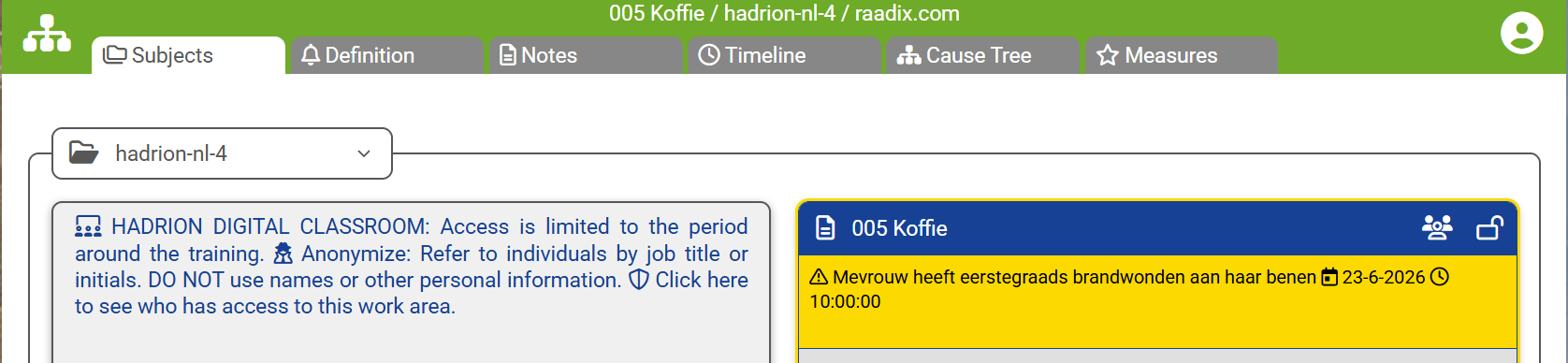
3. Click on the bottom right button with the cloud and the arrow pointing down (Export Raadix file).

4. Choose where to save the file. No choice? It will be saved in the "Downloads" folder on your PC.
5. Go to hadrion.eu/rdx (the free cloudless version). You do not have to login.
6. Click on the top left button to open the file menu.
7. Click "Open file" and find the file to open.
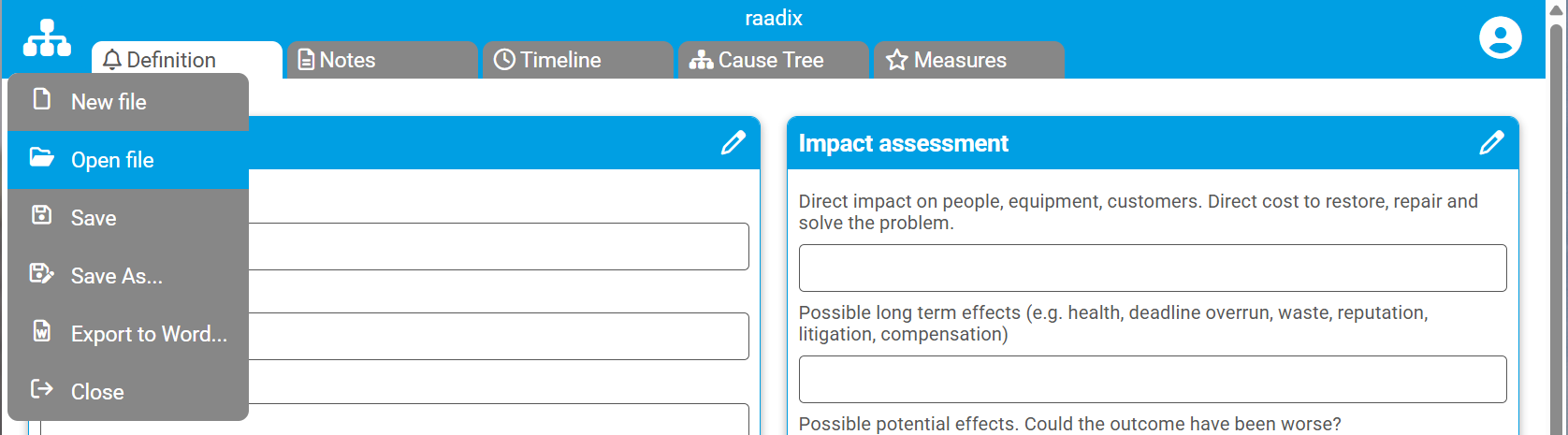
8. You can now edit the subject. Don't forget to save regularly. Saving is not automatic!
Cloudless raadix (free)
The cloudless raadix is free to use, without loggin in or registering.
Tutorial slide show
View the slide show for an impression...
Local storage - no cloud
The web app is hosted on the hadrion.eu website. All data is stored locally on your PC. No data is sent to the cloud.
System requirements
raadix runs in modern Chrome-based web browsers such as: Chrome and Edge.
Support
The software is free to use in its current state. However if you have questions or problems, we will try to help you to the best of our ability.